

On December 10, 2019, Apple released iOS 13.3, allowing parents for the first time to set limits over who their kids can talk to during certain hours of the day. These limits will apply to phone calls, Messages, and FaceTime. Parents also can set limitations on calls and messaging during the child’s permitted screen time and their downtime hours.
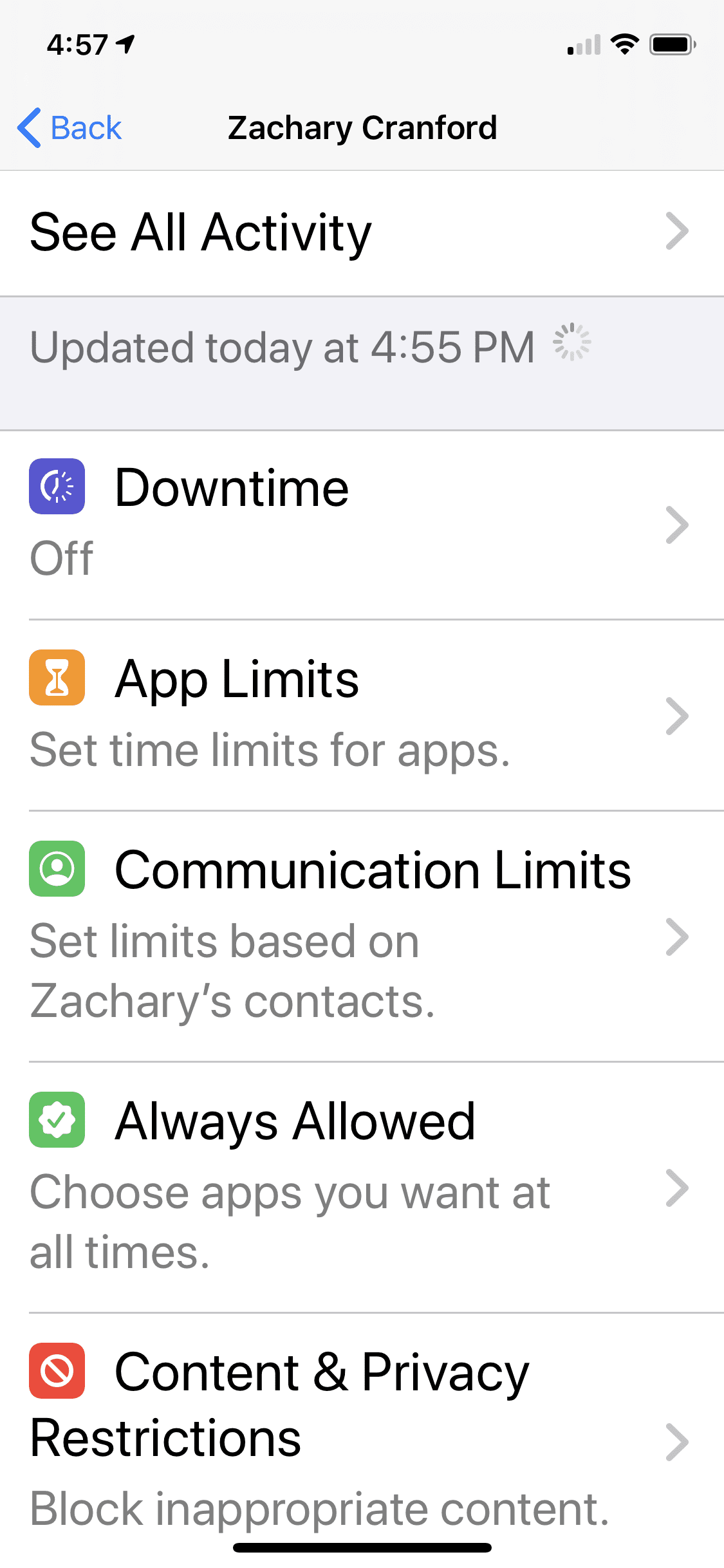 A new option, Communication Limits, can be found under Screen Time in Settings. Parents are rightly concerned that a total stranger can contact their child via messages, phone, or facetime. With this update, parents can set their child’s device so that during allowed screen time, the child can be contacted by everyone or only by people in their contacts, thus preventing strangers from reaching them. And during Downtime, parents can choose to allow their child to either be contacted by everyone or only by designated contacts.
This means parents could limit a child’s ability to texting friends late at night, or during the school day by scheduling Downtime to run.
Communication Limits also allows parents to manage their child’s iCloud contacts remotely, which makes it easier for parents to share essential numbers with their child and be aware of who their child is communicating with. This feature puts parents in full control of their child’s contact list, so only they can edit it.
If you haven’t enabled Parental Controls and Screen Time limits on your child’s iOS device, we have an ...

